- The Workbook
- Posts
- The Oscar for Best Excel Formula goes to... 🏆
The Oscar for Best Excel Formula goes to... 🏆
*cue applause*

Hey there! AI never takes a day off. 😅 Last week, ChatGPT released an Excel add-on that brings ChatGPT directly into your workbooks for financial modeling, data extraction, and scenario analysis.
It's still in beta, but consider me first in line to take it for a test drive! I'll report back with everything I learn. 💚


The Fastest Way to Count Anything in Excel
Did you watch the Oscars on Sunday? 👀
As I tuned in (jaw on the floor for that Sinners performance!), I got to thinking about which of my favorite celebrities have won an award, who's been nominated, and who hasn't had their moment yet. Naturally, I turned it into a spreadsheet (Excel nerd through and through 🙃).
Once I built the list, I wanted a quick way to tally it all up without counting every single cell myself.
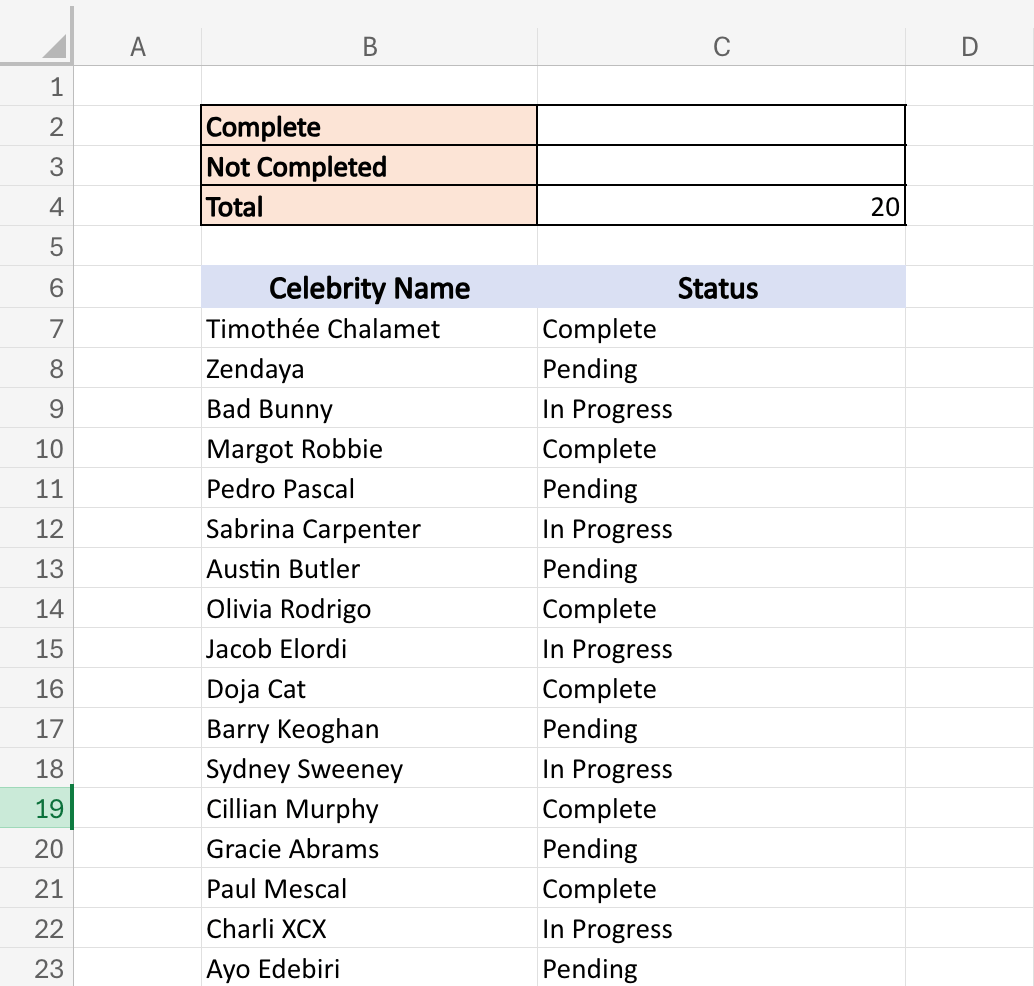
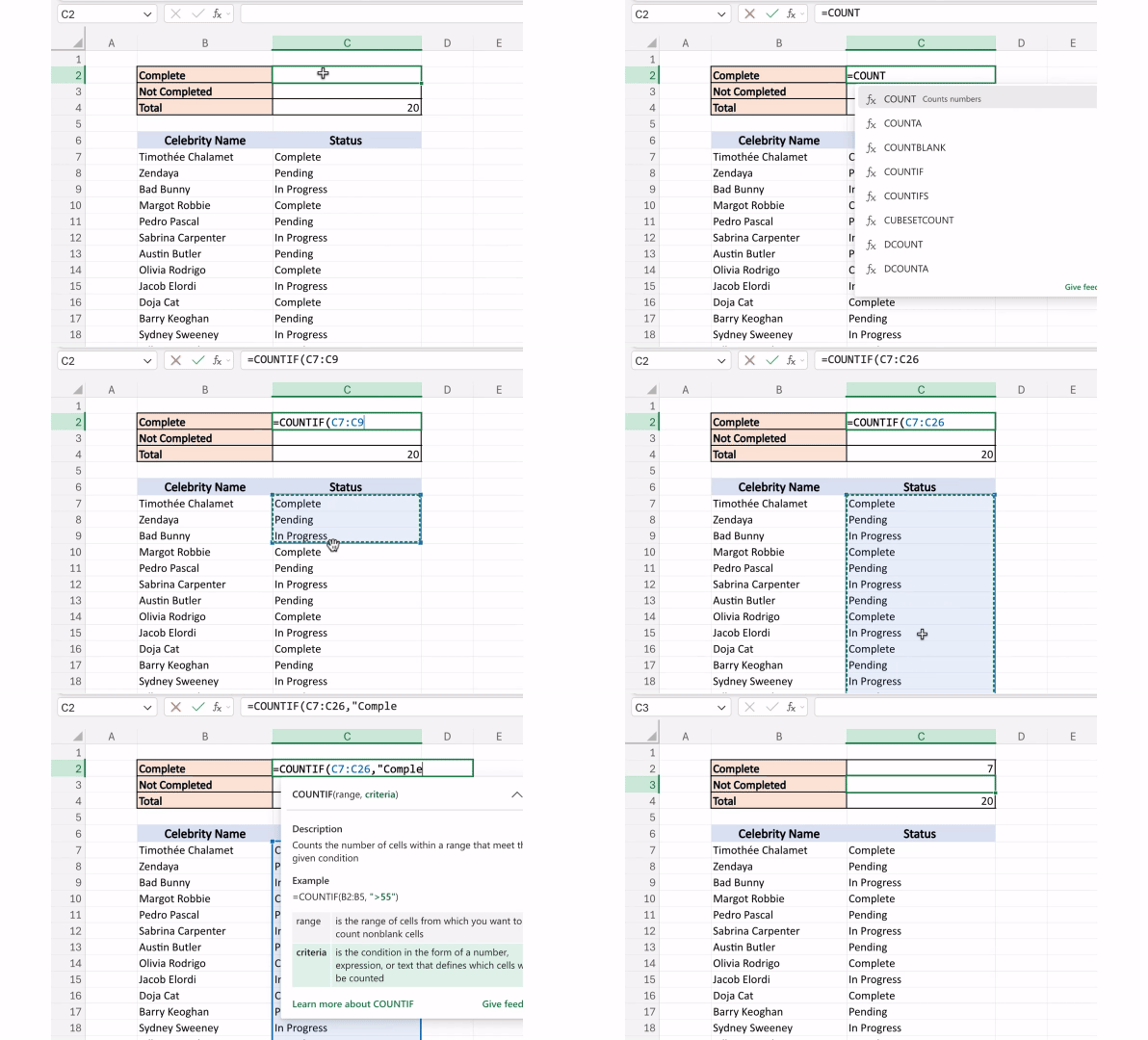
Luckily, that’s what COUNTIF is for! This function counts how many cells in a range meet the criteria you specify. Here it is in action:
Step 1) Type in =COUNTIF
Step 2) Select the data to count from
Step 3) Type in the criteria to count (in our case, that’s “Complete”). The final formula is =COUNTIF(C7:C26,“Complete”)
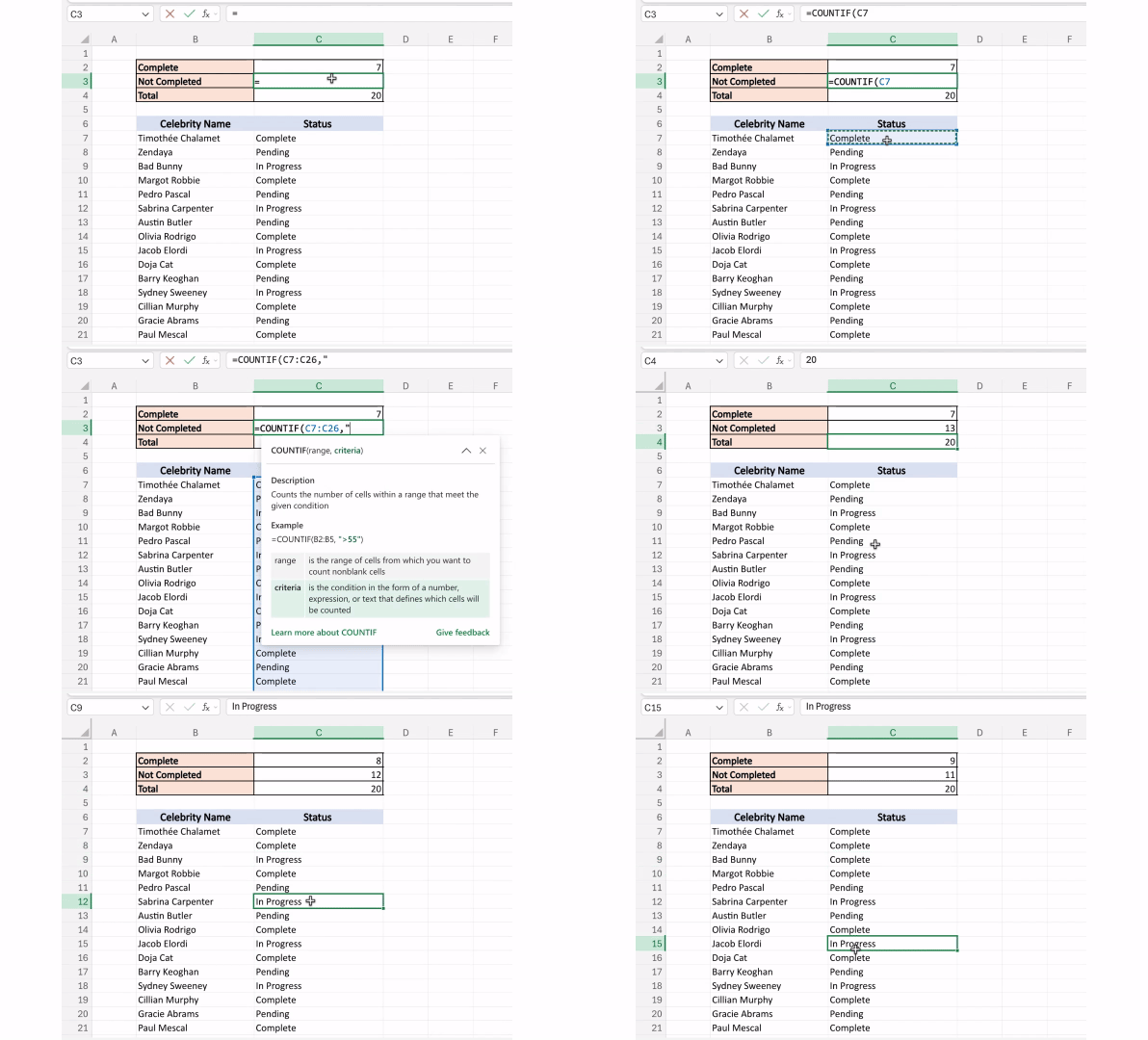
Voila! And if you wanted to count all the celebrities who haven’t won yet? Simple. Just use this formula: =COUNTIF(C7:C26,“<>Complete”)
The <> means “not equal to” and tells Excel to count everything that isn’t “Complete.” The cool part about COUNTIF is that if your data changes, the formula updates automatically!
And the Oscar for Best Excel Formula goes to...COUNTIF. 🏆

The Most Unproductive Place to Visit 🏝️
Recently, a friend of mine told me he wanted to launch a food newsletter. But instead of chatting about recipes, he listed all his doubts:
What if nobody subscribes?
What if people don’t like it?
What if I wait three months and try when I’m more ready?
Notice the pattern? They all start with “What if.”
My friend was deep in what entrepreneur Brett Dashevsky calls What If Land. It feels productive—like you’re being smart and “thinking things through.” In reality? It keeps you stuck.
I’ve been there. Before I launched Miss Excel, my brain was a “What if” factory. But then I asked: What is the actual worst case here? I post a TikTok. Nobody watches it. (Or my coworkers find it. 🫠) Either way, life goes on.
Once I spelled it out, my fear shrank from monstrous to something totally manageable. And that’s how I arrived at Why Not Land.

As Brett explains, Why Not Land is where you bring your idea to life instead of overthinking it. And getting there is simple—just drag your “What Ifs” to light and get clear on the realistic worst case. In my friend's case with the food newsletter?
He posts a recipe, and no one sees it.
Someone leaves a sassy comment under his pasta recipe.
He launches his newsletter, and only seven people subscribe.
Could those bruise your ego? Maybe. 😅But is that the end of the world? No! Once my friend saw how low the stakes were, he decided he might as well go for it.
The most exciting part? While you can more or less predict the worst case, the best case is a total wildcard (and one that can exceed your wildest dreams). So you might as well pack your bags and come find out.

The founder of Toms Shoes just launched amazing new bracelets aimed at raising awareness around mental health. Check it out!
Create a custom calendar in Excel in 17 seconds. 📅
Messy Excel data from a PDF import? Here's your cleanup crew. 🧹
The free "second screen" trick your IT department won’t tell you.
This cheat sheet will help you do the best work of your career. 🔥

Thanks for reading! And a huge thank you to everyone who applied for our Corporate Trainer position! I was genuinely blown away by the level of talent and experience you all have. This community never ceases to amaze me.
More exciting updates soon! 💫
Stay Exceling,
Kat