- The Workbook
- Posts
- How to impress your coworkers 🃏
How to impress your coworkers 🃏
You’ll want to save this wildcard trick...

Hey there! The gap between people who “use AI” and people who’ve mastered it is getting wider every day. One group is saving 3 hours a week. The other is arguing with a prompt box to sound “more human.” 🫠
Which side are you on? 👀
I want to make sure you’re on the right one—which is why I’m hosting a brand new free AI class! In just one hour, you’ll walk away knowing how to:
Spot hallucinations and eliminate the endless “back-and-forth”
Upgrade every output instantly with tried-and-tested frameworks
Get in control of AI to save time, reduce stress, and level up at work
I’ve opened up brand new time slots today! If none of those work for you, you can register for any session, and I’ll send you the replay after!


Impress Your Coworkers With Wildcards 🃏
Monday. 9:15 AM. You’re halfway through your coffee when your boss stops by your desk: “I need a clean list of first names from this spreadsheet pronto. Can you help?”
A quick look at the file and you see what they mean. Taylor (@swifterthanyou). Keanu (@johnwickbutchill). Shakira (@hipsstilldontlie)...and 100 more just like it.
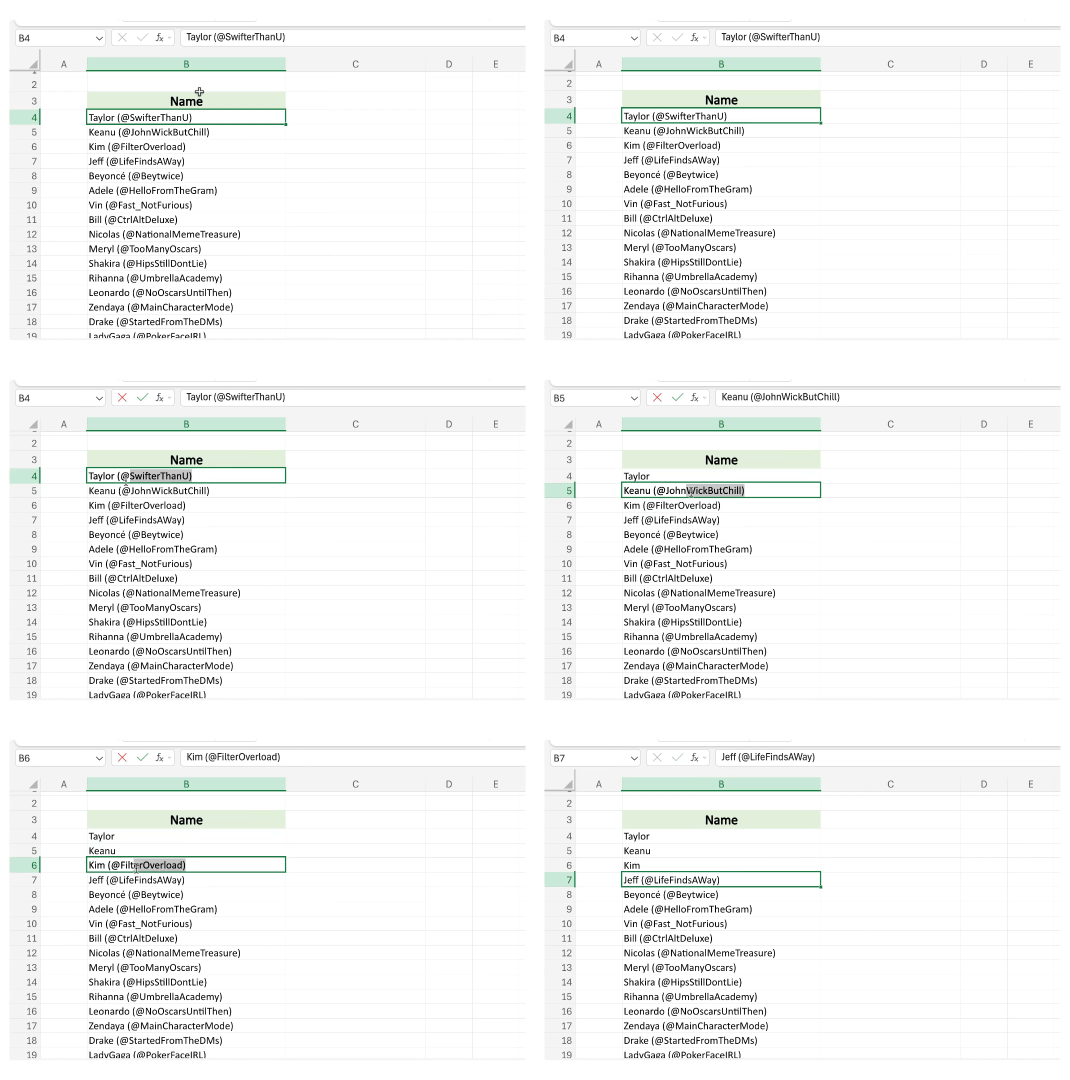
Your coworker chimes in: “Wow! Deleting those one-by-one is going to take forever.”
Not if you know about wildcards. 😉 Here’s how to put ’em to use:
Step 1) Press Ctrl + H to open Find and Replace
Step 2) In “Find What,” type (*)
💡 Excel 101: The parentheses tell Excel, “Find anything inside the parentheses.” The asterisk is your wildcard. It means any number of characters. So (*) finds opening parenthesis + text + closing parenthesis.
Step 3) Leave “Replace With” blank. This tells Excel to replace what it finds with nothing (read: delete it).
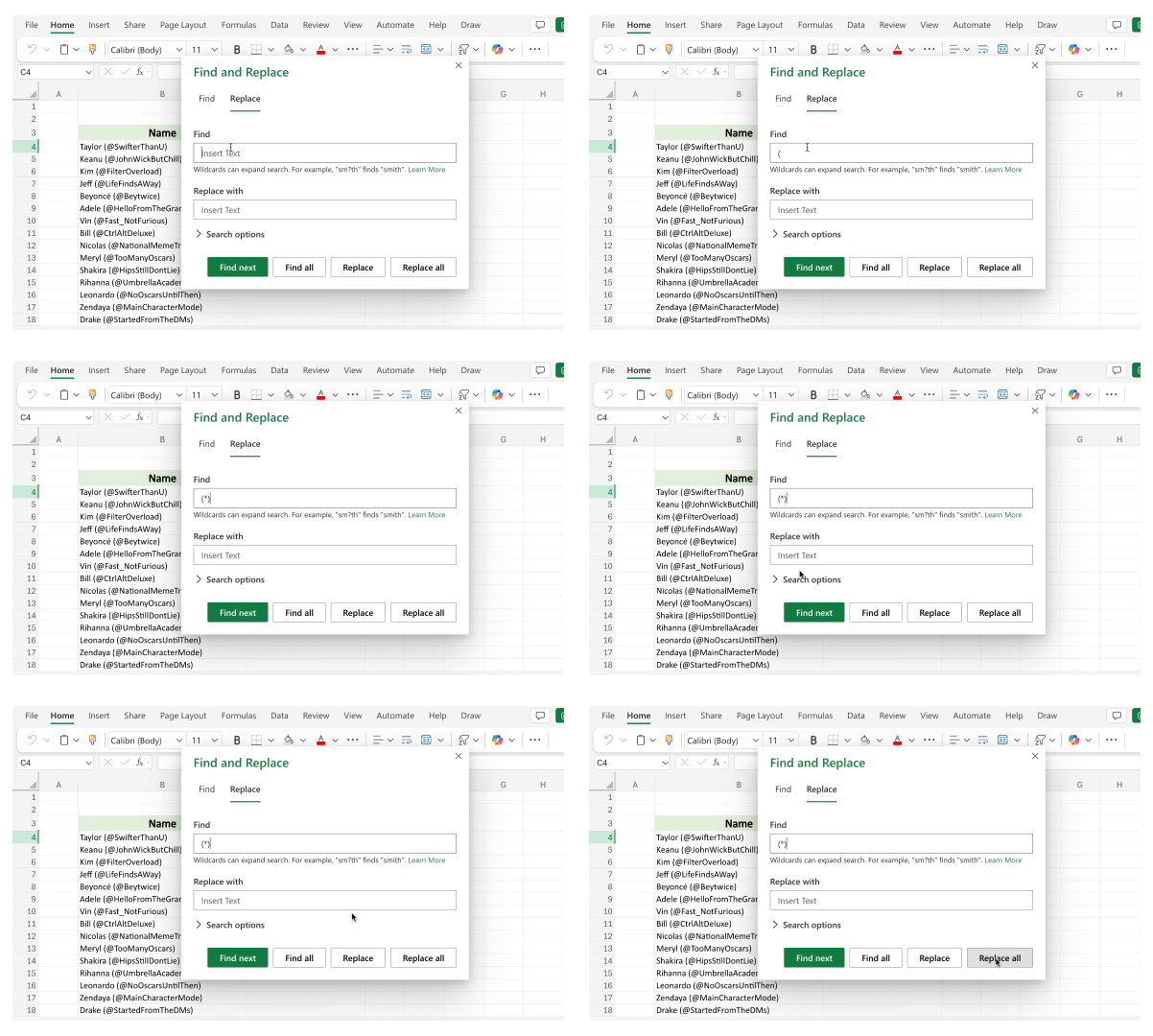
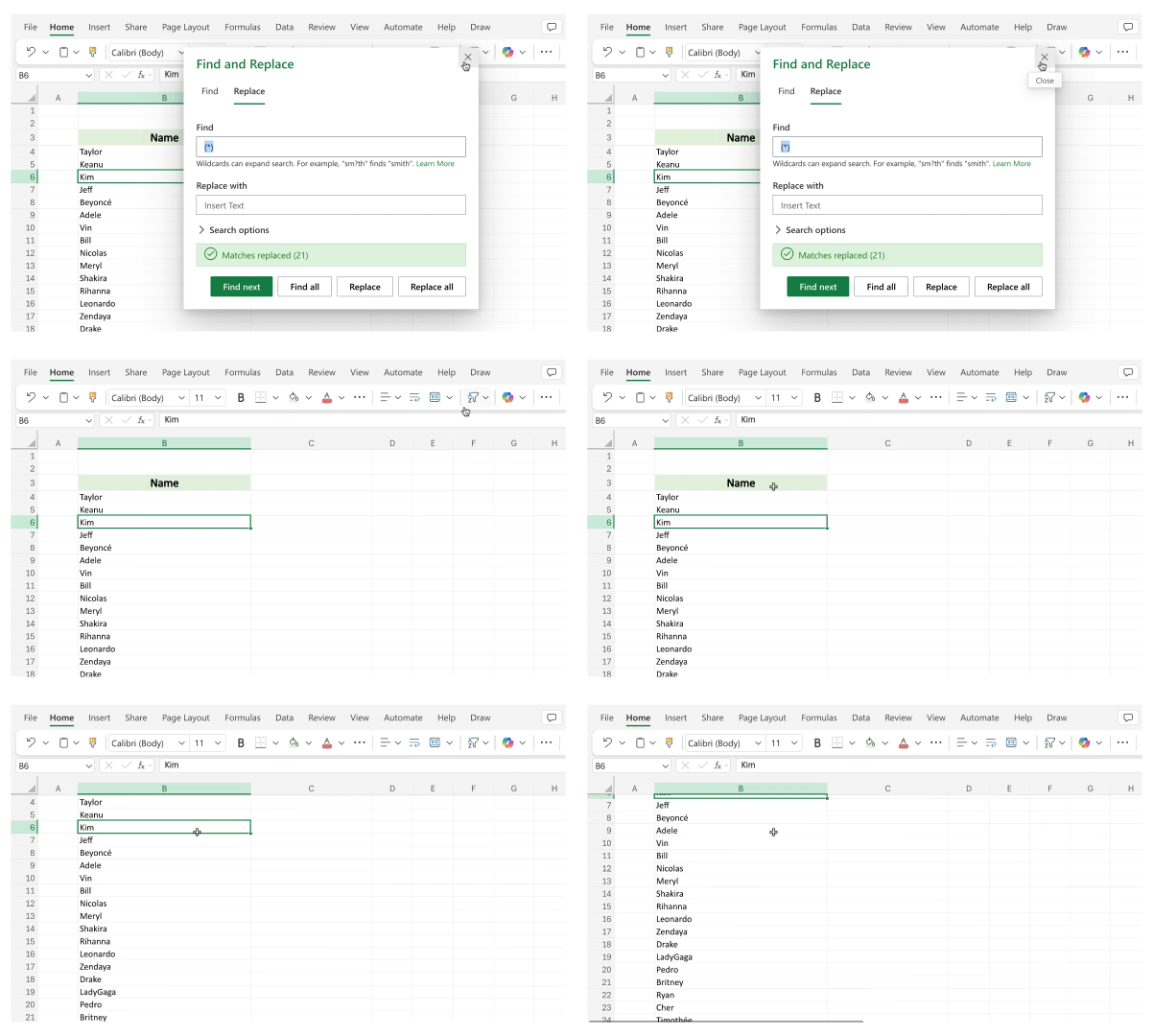
Step 4) Click “Replace All” and OK. That’s it!
P.S. If you’re on a PC, the Find and Replace box looks different. Here’s where to find it!

Have Fun While Learning How to Master AI 💃🏼 (Yes, Really!)
Most online classes feel like, well…a class. 😅 You sign up hoping to learn something, but you're also kind of bracing yourself to be talked at for 45 minutes straight.
I built my brand new free AI class to be the opposite.
In this class, you’re not just sitting there taking notes. It's energetic and full of stories and scenarios designed to bring the concepts to life and engineer those lightbulb “Eureka!” moments. 💡
Don’t just take it from me. Here’s what previous attendees had to say!
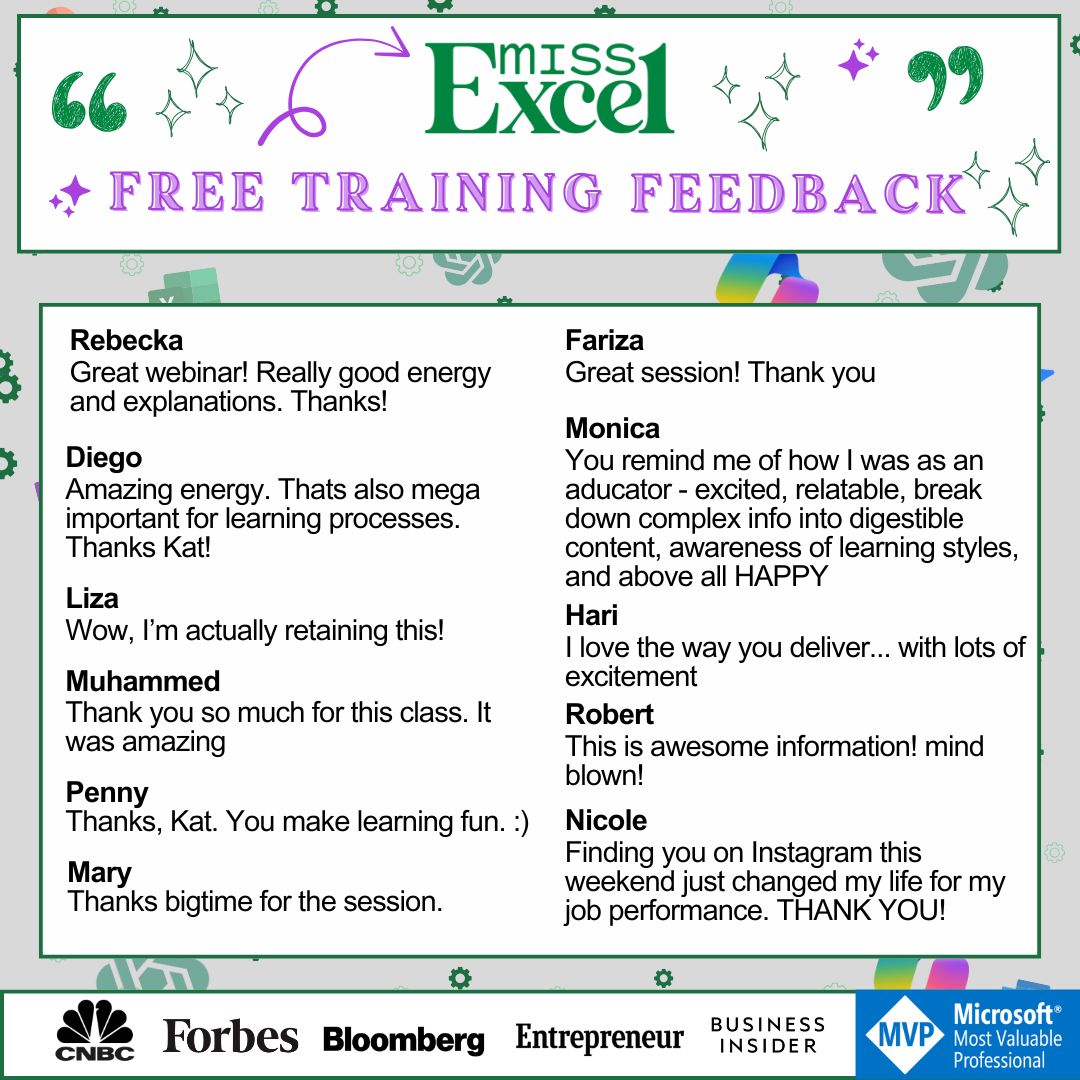
Join us this week to turn your AI friction into ✨ flow ✨ and tap into the career accelerator this tech can really be.

The “Vegan Plus Bacon” Mindset 🥓
I recently saw a video from creator @addietheoptimist about bacon that completely reframed how I approach my goals. I didn’t have bacon on my 2026 productivity bingo card, but here we are. 😅
She calls it the “Vegan Plus Bacon” mindset. The premise is pretty simple: If there’s something you want to do but you can’t do it perfectly, do it imperfectly.
If you want to go vegan but love bacon? Go vegan except for bacon.
Told yourself you’d work out, but you’re bone-tired? Hit the treadmill for 15 minutes while scrolling TikTok.
Dreading that networking event? Show up, say hello to the organizer, eat three appetizers, then leave.
I love this reframe because it accounts for our good and bad days. We’re usually surrounded by sayings like “go big or go home” and “all or nothing.” But being human means some days you’re on fire, and others you’re on 2% battery. That’s normal.
“We don’t have to be imprisoned by our own rules,” as Addie puts it. So next time, before talking yourself out of something, remember the only person enforcing these rules is you—and you're allowed to show yourself some grace.
As the quote goes: “If the thing is worth doing, it is worth doing badly.” 💚

Your spreadsheet’s personal stylist is one click away. 💄
Five small habits that could save you up to 25 hours a week. ⌛
I cut my workday from eight to three hours using this AI trick! 🤖
The fastest way to make your spreadsheet look professional? Autofit.
How to create Excel charts so good that people think you hired a designer. 👀

Thank you so much for all the love on my upcoming book! 💚 I have been pouring my heart and soul into this project, and I absolutely cannot wait to share it with you all. More details to come!
Stay Exceling,
Kat